Sky Dialer for Skype2.0.6
Publisher Description
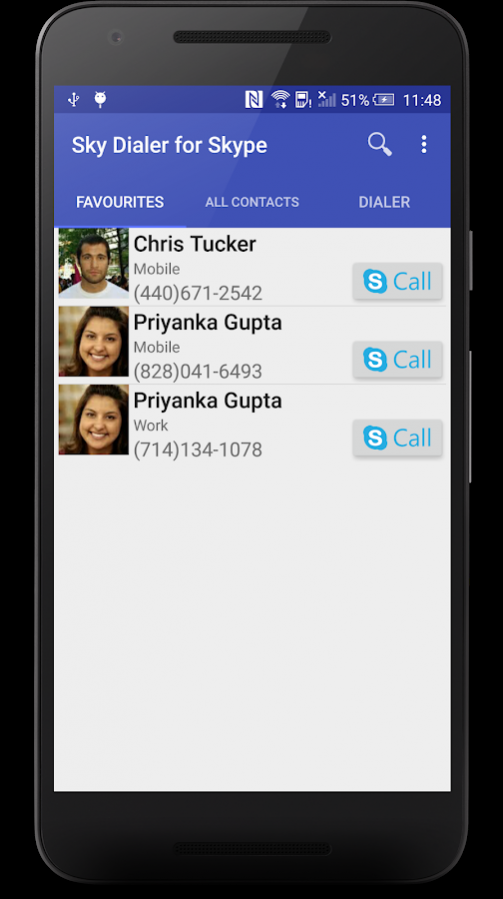
Sky Dialer for Skype will help you to make Skype phone calls to your contacts easily, without adding all your android contacts to Skype contact list.
Note: Sky Dialer for Skype
REQUIRES the Skype app
installed on your device, it won't work without it.
Features:
* Now supports both Skype 7 & 8 Clients!
* Quick access to your favorite contacts.
* Add direct dial shortcuts to your home screen!
* No need to manually add your Android contacts to Skype contact list.
* Ads can be removed by an in-app purchase.
If you want to make Skype calls directly from your phone's Dialer, please check out our other app:
Skype Default Dialer
*** Sky Dialer for Skype is not affiliated to Skype in any way, It uses Skype's published API for its functionality ***
About Sky Dialer for Skype
The company that develops Sky Dialer for Skype is Nimesh Madhavan. The latest version released by its developer is 2.0.6. This app was rated by 2 users of our site and has an average rating of 4.0.
To install Sky Dialer for Skype on your Android device, just click the green Continue To App button above to start the installation process. The app is listed on our website since 2018-07-01 and was downloaded 142 times. We have already checked if the download link is safe, however for your own protection we recommend that you scan the downloaded app with your antivirus. Your antivirus may detect the Sky Dialer for Skype as malware as malware if the download link to com.nimeshm.skydialer is broken.
How to install Sky Dialer for Skype on your Android device:
- Click on the Continue To App button on our website. This will redirect you to Google Play.
- Once the Sky Dialer for Skype is shown in the Google Play listing of your Android device, you can start its download and installation. Tap on the Install button located below the search bar and to the right of the app icon.
- A pop-up window with the permissions required by Sky Dialer for Skype will be shown. Click on Accept to continue the process.
- Sky Dialer for Skype will be downloaded onto your device, displaying a progress. Once the download completes, the installation will start and you'll get a notification after the installation is finished.
Program Details
System requirements
Download information
Pricing
Version History
version 2.0.6
posted on 2018-07-01
Now supports Skype 8!
New: Squashed some bugs
version
posted on 2018-01-20
Now supports Skype 8!
version 1.8
posted on 2015-07-11
(1.8) Performance improvements, Fix app crashes on few devices,(1.7) Lollipop Support, In App Purchases to remove Ads,(1.6.2) More bug fixes,(1.6) Performance improvements, Favourites UI redesign, bug fixes,(1.4) Spanish translation (Experimental), UI tweaks,(1.3) Revamped UI, Theme support,(1.2) Multilingual Support(Arabic(experimental), German, Russian). Please help me translate the app!,(1.1) Home screen shortcuts! (Long press on contact to access this option)
